

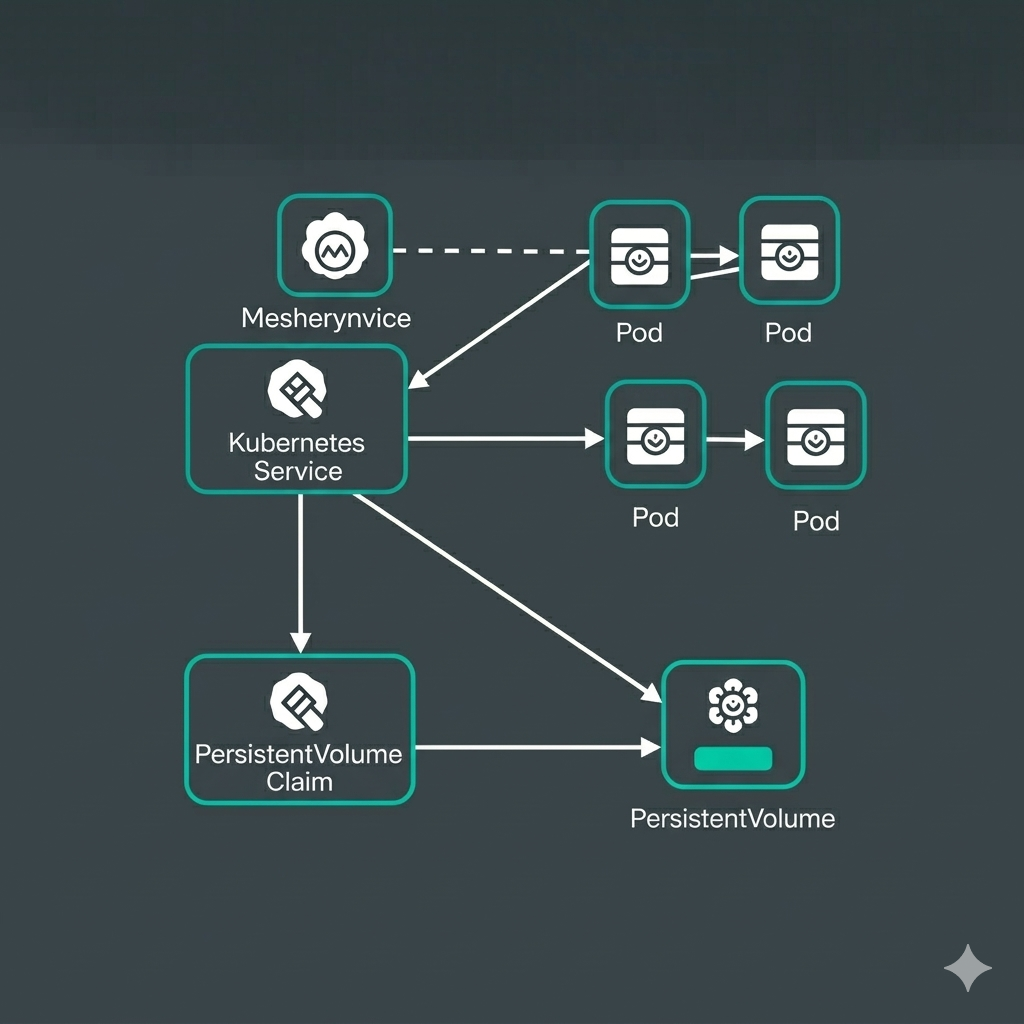
If you are managing cloud-native infrastructure with Meshery, understanding how your components interact is critical. This post walks you through the mesheryctl relationship commands and celebrates an important milestone: their officially graduated from experimental mode.
From mesheryctl exp relationship to mesheryctl relationship
After a period of stabilization, community feedback, and real-world usage, the relationship commands have been promoted to stable and moved to the top-level namespace:
| Before (experimental) | After (stable) |
|---|---|
mesheryctl exp relationship generate |
mesheryctl relationship generate |
mesheryctl exp relationship list |
mesheryctl relationship list |
mesheryctl exp relationship search |
mesheryctl relationship search |
mesheryctl exp relationship view |
mesheryctl relationship view |
What is a Meshery Relationship?
In the Meshery ecosystem, a relationship defines how two or more components are interconnected. Relationships capture the dependencies, policies, and interactions between components within a model. They are organized by kind (e.g.,hierarchical,edge), type, and subtype (e.g.,parent,binding) and are evaluated by Meshery’s policy engine to enforce design constraints and visualize architectural intent.
Learn more about Meshery Relationships
The mesheryctl relationship command gives you a convenient CLI interface to interact with the relationships registered in your Meshery Server. It exposes four subcommands — list, search, view, and generate — each targeting a specific use case.
Base command: mesheryctl relationship
Description: The root command for managing relationships. On its own, it prints usage information. Combined with the --count flag, it returns the total number of relationships registered in Meshery Server.
Flags:
| Flag | Short | Default | Description |
|---|---|---|---|
--count |
-c |
false |
Get the total number of relationships |
--help |
-h |
Display help for the command |
Example — display the total count of registered relationships:
~$ mesheryctl relationship --count
Total number of relationships: 597
mesheryctl relationship list
Description: Lists all relationships registered in Meshery Server, displaying their ID, kind, API version, model name, subtype, and type in a tabular format. Supports paginated output so you can navigate through large sets of results interactively.
Flags:
| Flag | Short | Default | Description |
|---|---|---|---|
--page |
-p |
1 |
List next set of relationships at the specified page number |
--pagesize |
10 |
Number of results per page | |
--count |
-c |
false |
Display the total count of relationships only |
--help |
-h |
Display help for the command |
Example — list all relationships (page 1, 10 results):
~$ mesheryctl relationship list
Total number of relationships: 597
Page: 1
ID                                    KIND          API VERSION  MODEL NAME                             SUB TYPE   TYPE
0f9ba842-d709-4d2b-a60e-f4c2b46d02ad  edge          v1.0.0       aws-apigatewayv2-controller            network    non-binding
c360e677-c0e2-4f21-a50f-94c5318a4e21  edge          v1.0.0       aws-apigatewayv2-controller            reference  non-binding
023becab-18f5-4eae-bdd2-1ef03eecffd6  edge          v1.0.0       aws-apigatewayv2-controller            reference  non-binding
7a77e701-bf34-4a07-9aff-41e61b1d87dd  edge          v1.0.0       aws-apigatewayv2-controller            reference  non-binding
13f0e4f2-81f1-4714-b850-88a8fe0d8acd  edge          v1.0.0       aws-apigatewayv2-controller            reference  non-binding
644b97c4-7f9e-41d8-9676-deb34b873cea  hierarchical  v1.0.0       aws-apigatewayv2-controller            inventory  parent
896cb3d1-1b37-47cc-91af-5f9003ef5182  edge          v1.0.0       aws-apigatewayv2-controller            reference  non-binding
343d7ee3-bf0c-41fa-95ad-deb2d6562ba8  edge          v1.0.0       aws-applicationautoscaling-controller  reference  non-binding
ec82ff50-d8dc-4c55-bb0b-a5633546b0ca  edge          v1.0.0       aws-applicationautoscaling-controller  reference  non-binding
b98483ea-b70d-40fd-915f-7e624290cf42  edge          v1.0.0       aws-applicationautoscaling-controller  reference  non-binding
Additional usage examples:
# List relationships on a specific page
mesheryctl relationship list --page 2

# List relationships with a custom page size
mesheryctl relationship list --pagesize 25

# Display only the total count of relationships
mesheryctl relationship list --count
mesheryctl relationship search
Description: Searches registered relationships used by different models. You can narrow down results by kind, type, subtype, and/or model name. At least one filter flag is required.
Flags:
| Flag | Short | Default | Description |
|---|---|---|---|
--kind |
-k |
Search relationships of a particular kind (e.g., hierarchical, edge) |
|
--type |
-t |
Search relationships of a particular type | |
--subtype |
-s |
Search relationships of a particular subtype (e.g., parent, binding) |
|
--model |
-m |
Search relationships belonging to a particular model | |
--page |
-p |
1 |
Page number of results to fetch |
--help |
-h |
Display help for the command |
Example — search for hierarchical relationships:
~$ mesheryctl relationship search --kind hierarchical
Total number of relationships: 194
Page: 1
ID                                    KIND          API VERSION  MODEL NAME                    SUB TYPE   TYPE
644b97c4-7f9e-41d8-9676-deb34b873cea  hierarchical  v1.0.0       aws-apigatewayv2-controller   inventory  parent
b236f6ba-60a8-4e5e-a36d-f0c8b2fd87f4  hierarchical  v1.0.0       aws-documentdb-controller     inventory  parent
2efa3365-5e2d-4cd2-a313-408363419d4f  hierarchical  v1.0.0       aws-dynamodb-controller       inventory  parent
4b5fa9d9-80e7-44fa-a563-ad03ef590e83  hierarchical  v1.0.0       aws-ec2-controller            inventory  parent
f5303970-cbde-49f9-9878-4f13f31ec9ff  hierarchical  v1.0.0       aws-ec2-controller            inventory  parent
853279e4-c4b7-4b95-819a-4b3ec14319a4  hierarchical  v1.0.0       aws-ecs-controller            inventory  parent
eb0da592-9e2b-44de-8e4c-457f3743f2a5  hierarchical  v1.0.0       aws-efs-controller            inventory  parent
1a848bd2-14a9-4a4c-a6ff-2dda7116d1d6  hierarchical  v1.0.0       aws-eks-controller            inventory  parent
a933d19d-e447-4e13-a252-eba9451a3a6c  hierarchical  v1.0.0       aws-emrcontainers-controller  inventory  parent
4d6d9799-496a-46b6-84fa-c033f2e85b26  hierarchical  v1.0.0       aws-eventbridge-controller    inventory  parent
Additional usage examples:
# Search by subtype
mesheryctl relationship search --subtype parent

# Search by model and kind
mesheryctl relationship search --model kubernetes --kind edge

# Search with pagination
mesheryctl relationship search --type binding --page 2
mesheryctl relationship view
Description: Views the full definition of a specific relationship belonging to a given model. The command fetches the relationships registered for the model you specify, then presents an interactive selection prompt so you can pick the exact relationship you want to inspect. The output is rendered in YAML format by default, or in JSON if requested. You can also save the output to a file.
Flags:
| Flag | Short | Default | Description |
|---|---|---|---|
--output-format |
-o |
yaml |
Format to display in: json or yaml |
--save |
-s |
false |
Save the output as a JSON or YAML file |
--help |
-h |
Display help for the command |
Example — view relationships of the kubernetes model:
~$ mesheryctl relationship view kubernetes
Use ↑/↓/←/→ to navigate, Ctrl+C to cancel
? Select item:
    kind: edge, EvaluationPolicy: , SubType: reference
    kind: edge, EvaluationPolicy: , SubType: firewall
  ▸ kind: edge, EvaluationPolicy: , SubType: firewall
    kind: edge, EvaluationPolicy: , SubType: mount
    kind: edge, EvaluationPolicy: , SubType: mount
↓   kind: edge, EvaluationPolicy: , SubType: mount
kubernetes example
id: a12b458d-221a-4559-95c9-b6e6e3f8bf6e
capabilities: null
evaluationQuery: ""
kind: edge
metadata:
    description: ""
    styles:
        primaryColor: ""
        svgColor: ""
        svgWhite: ""
    isAnnotation: false
    additionalproperties: {}
model:
    version: v1.0.0
    name: kubernetes
    displayName: Kubernetes
    id: 00000000-0000-0000-0000-000000000000
    registrant:
        kind: github
    model:
        version: v1.35.0-rc.1
modelid: 00000000-0000-0000-0000-000000000000
schemaVersion: relationships.meshery.io/v1alpha3
selectors:
    - allow:
        from:
            - id: null
              kind: StorageClass
              match:
                from:
                    - id: null
                      kind: self
                      mutatedRef:
                        - - component
                          - kind
                        - - displayName
                to:
                    - id: null
                      kind: PersistentVolumeClaim
                      mutatorRef:
                        - - component
                          - kind
                        - - configuration
                          - spec
                          - storageClassName
              match_strategy_matrix: []
              model:
                version: ""
                name: kubernetes
                displayName: ""
                id: 00000000-0000-0000-0000-000000000000
                registrant:
                    kind: github
                model:
                    version: ""
              patch: null
        to:
            - id: null
              kind: PersistentVolume
              match:
                from:
                    - id: null
                      kind: PersistentVolumeClaim
                      mutatedRef:
                        - - configuration
                          - spec
                          - storageClassName
                        - - configuration
                          - spec
                          - volumeName
                to:
                    - id: null
                      kind: self
                      mutatorRef:
                        - - displayName
                        - - configuration
                          - spec
                          - storageClassName
              match_strategy_matrix: []
              model:
                version: ""
                name: kubernetes
                displayName: ""
                id: 00000000-0000-0000-0000-000000000000
                registrant:
                    kind: github
                model:
                    version: ""
              patch: null
      deny:
        from: []
        to: []
subType: mount
status: enabled
type: binding
version: v1.0.0
Additional usage examples:
# View relationships in JSON format
mesheryctl relationship view kubernetes --output-format json

# View relationships and save the output to a file
mesheryctl relationship view kubernetes --output-format json --save
mesheryctl relationship generate
Description: Generates a relationships documentation file (JSON format) by reading data from a Google Spreadsheet. This is primarily a maintainer-facing command used to keep the Meshery documentation up to date with the latest relationship definitions. It requires a valid spreadsheet ID and base64-encoded Google API credentials.
Flags:
| Flag | Short | Default | Description |
|---|---|---|---|
--spreadsheet-id |
(Required) Google Spreadsheet ID containing relationship data | ||
--spreadsheet-cred |
(Required) Base64-encoded Google API credentials | ||
--help |
-h |
Display help for the command |
Example — generate relationship documentation from a spreadsheet:
```shell
~$ mesheryctl relationship generate
–spreadsheet-id spreadsheet-id
–spreadsheet-cred $CRED
Relationships data generated in docs/_data/RelationshipsData.json
—
Conclusion
The mesheryctl relationship commands give you direct CLI access to the relationship layer of the Meshery model ecosystem. Whether you want a quick count of registered relationships, need to search for a specific kind, want to inspect a full relationship definition, or are maintaining the documentation data, there is a subcommand for every need.
As a next step, try combining search and view together: use search to find a relationship relevant to your model, then use view to inspect its full definition and save it locally for reference.
For more details on how relationships work under the hood, visit the official documentation: